My life as a developer was so 🥱 before I was doing coding in just a simple code editor. It was more of code editing than actually coding👽.
At that time I use to think what would have happened if there was no feature such Undo and Redo.😅
But not for long. I always enjoy in making my working pattern effective and hence bring productivity to do the things I do on my daily basis.😎
Why you ask😏?
To save my 🕒 bro. I know you also wanna do that. So let’s dive into the list of VS code extensions that not just me but also my co-workers in my workplace use; to focus more on coding and development rather than being busy in editing the code.
1. Prettier
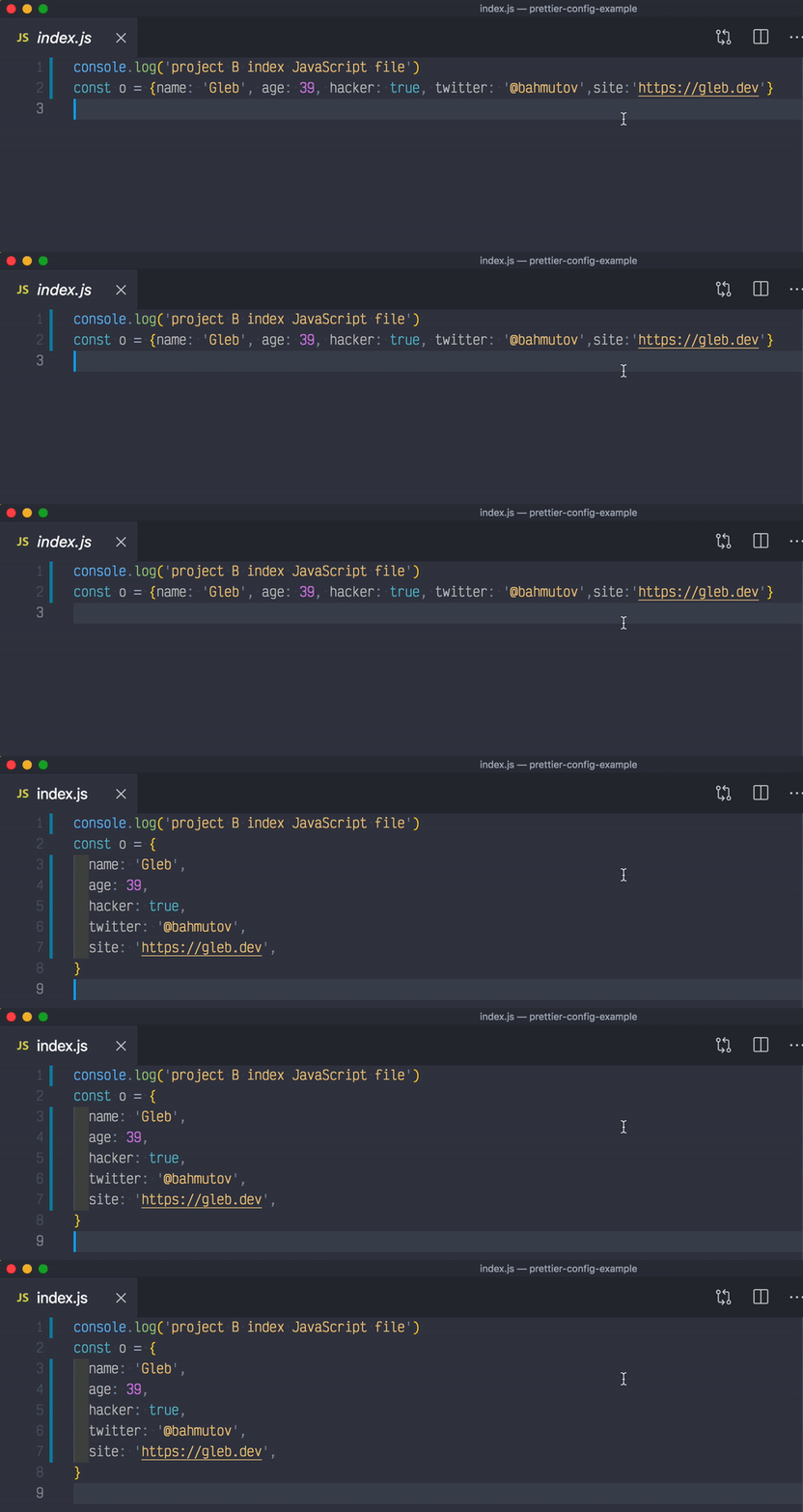 Who doesn’t like a structured code. If you don’t then I already hate😡 you. I have met many people who have used prettier but they hate it because it doesn’t formats the code in the way they wanted to🤨.
I agree to it but bruh you should’ve known that you can easily configure it.
One time configuration, lifetime of saving time.🥳
Who doesn’t like a structured code. If you don’t then I already hate😡 you. I have met many people who have used prettier but they hate it because it doesn’t formats the code in the way they wanted to🤨.
I agree to it but bruh you should’ve known that you can easily configure it.
One time configuration, lifetime of saving time.🥳
2. Auto Rename
 The name says it all.😁
So where does it actually comes handy?🤔
The name says it all.😁
So where does it actually comes handy?🤔
So let’s say you write some html code which runs in a pair of opening and closing tags. And you want that someone should automatically rename that closing tag to the same name which you are giving to the opening tag or maybe vice-versa. So my fiends, Auto Rename is that friend you need for that.
3. Color Highlight
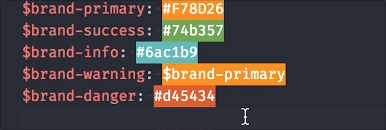
No comments🤫. The picture already tells the story.
4. Bracket Coloriser
 This is such a simple extension that you would think why do I even need it.🤣
Believe me or not but this happens and I have myself been in that place. But you will realise its importance when you use it and it will help you in
finding out which pair of bracketsyou aremissing. It will definitely make iteasyfor you to figure out if all the brackets that were opened are closed.
5. Live Server
 I still remember the times when I was starting into web development. For everytime I used to make any changes to my html code or CSS I had to do a reload.
But now that’s an old story for me😁.
I still remember the times when I was starting into web development. For everytime I used to make any changes to my html code or CSS I had to do a reload.
But now that’s an old story for me😁. I work on React which already comes with a development server.
However, if you are also someone who is still in the path of learning HTML, CSS, or maybe PHP then you can use the Live Server extension to get rid of reloading everytime you made some changes in your code.
I hope you already use these extensions but if you don’t I would highly recommend you to give it a try. And as always thanks for reading.
I will soon bringing another post with the extensions specifically helpful for the JavaScript developers. So stay tuned. Follow me for more good stuff.
Originally published at Klickspell Engineering
Need technical precision for your web stack?
Architected for performance & scale.
From modern headless commerce to enterprise infrastructure and clean frontend state systems, Klickspell delivers senior engineering craft without agency bloat.
Keep Reading